Loading
Showing posts with label Windows. Show all posts

Sunday, May 22, 2011

User Guide Windows 7


If you are using previous windows such as Vista and XP, Windows 7 are much batter and have few features which not available in previous versions.  This User Guide Windows 7 was write by Mike Halsey. This user guide for Windows 7 ebook is 174 pages with 16 chapters. This book will cover from the installations , maintenance and how to fix the error usually we found.

Download User Guide Windows 7


Wednesday, January 26, 2011

How to Access Hidden Themes in Windows 7


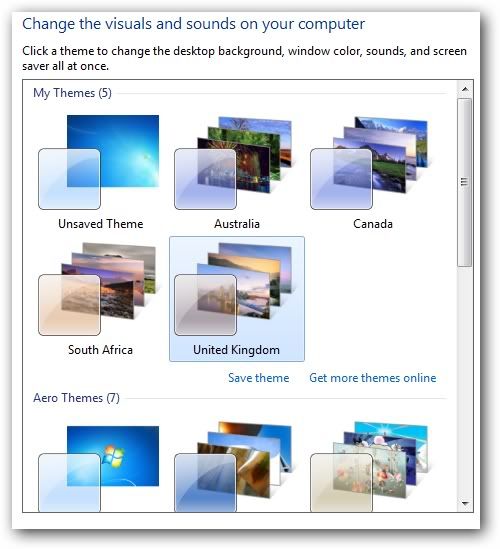
Want your desktop or windows different and stand out from the others. Actually windows 7 theme are different for every region as you select during the installations. You can access hidden themes in Windows 7 which are offered to other regions.

Below are the steps how to acess hidden themes in Windows 7.

Click start

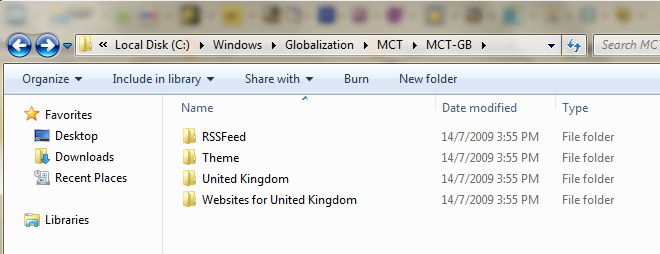
In the search box of the Start menu, type C:\Windows\Globalization\MCT.

inside the folder you will find themes for Canada, Australia, South Africa, and Great Britain.

Open each folder and you will see few another folder such as
RSS Feed
Theme
United Kingdom
Website for United Kingdom

you can explore each folder but if you want to install the theme, just double click the file inside Theme folder and you are done.


Monday, January 24, 2011

Show file extensions in Windows 7


Default Windows 7 setting, you cannot see the extension file name. Advance computer user always need to see their extension file name so that they know the details about the file. There many advantages if you know what is the file extensions. If you want play some flash file but you never know what is the extension file, you will never get the right software for it. In this case, flash file extensions is filename.swf.

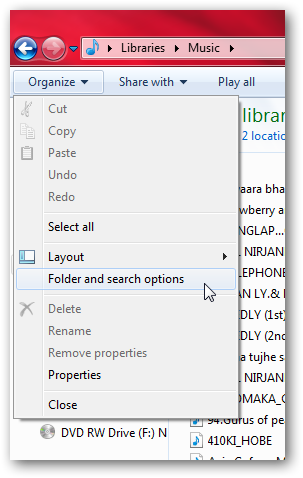
Windows 7 offer great features and bit different from the previous operating system from Microsoft , Windows XP.  If you wan to show file extensions in windows 7, just open any folder and click on the “Organize” tab. Select “Folder and search options”.

 New pop up will come out and select View tab. Inside this View Tab uptick “Hide extensions for know file types”


Click OK and you are able to see the file extension in Windows 7


Saturday, January 22, 2011

How to remove System Tool 2011 spyware


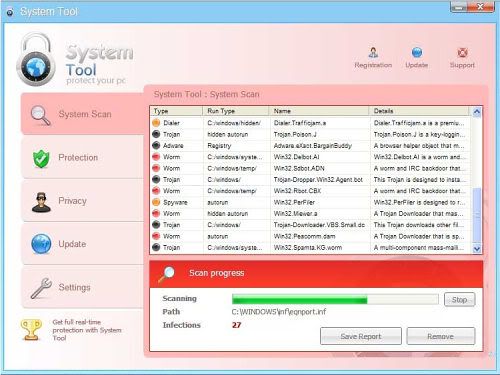
System tool 2011 is a virus made look like real antivirus and scaning your computer. It will scan your computer and asking you to get the licensed version of system tool 2011. This spyware will some windows functions will be rendered unstable like task manager,registery editor and control panel . This will prevent users from remove the System Toll 2011 manually.

Some of the user cannot remove System Tool 2011 will purchase the license or registered viersion for this useless software. By buying the license , victim will buy online and credit card details will requested. Victim will may charges for others unknown transactions. That is the objective of this useless System Tool 2011 , collecting victim credit card details.

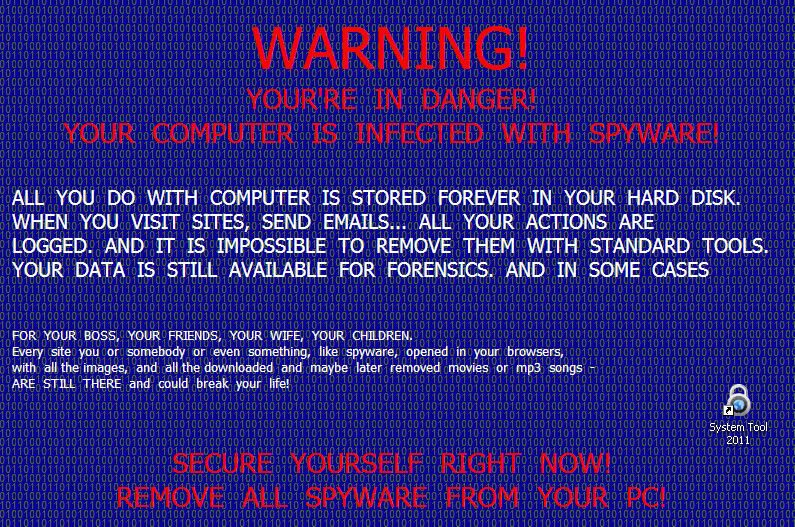
When your computer infected with this System Toll 2011 , your desktop will be look like picture below.
Your computer will get slow and frequently asking you to scan and purchase the registered version of this software. Your computer will become extremely slow.

There are many tutorial at youtube teach you how to remove system Tool 2011 . You can learn it and follow step by steps. Below is my method HOW TO REMOVE SYSYEM TOOL 2011 from your computer. I highly recommend this method because I had tested it and proven working 100% with windows 7.

Step 1.
Reboot your computer and press F8 just after press the start button and you will come to safe mode .
Step 2:
Select Safe mode with networking and wit until windows completely loading
Step 3
Go to Start and right click SYSTEM TOOL 2011 then select open link Locations.
Step 4:
Delete the file .. done.
Hope this tutorial will help you. Just leave your comment below if you have other solutions.


Friday, January 14, 2011

How to install windows 7 from usb


Install windows 7 from USB is one of the great features for new personal computer or notebook. Install windows 7 from usb is more easier and faster than using DVD or CD. Today is my first experience creating or make usb bootable in other words extract iso for windows 7 in usb drive. The steps hos to install windows 7 from usb is easy and straight forward. Just follow step by step and you will success.
First of you will need usb drive with minimum space 4GB. You also need the iso file for windows 7 either in DVD,CD or at your hard drive.

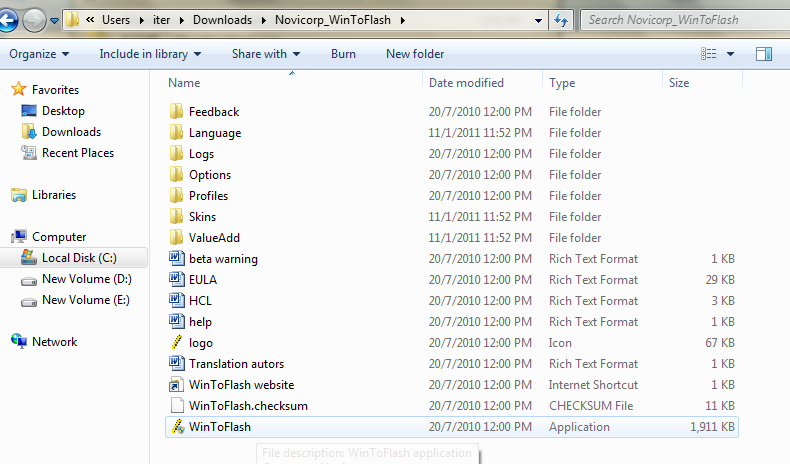
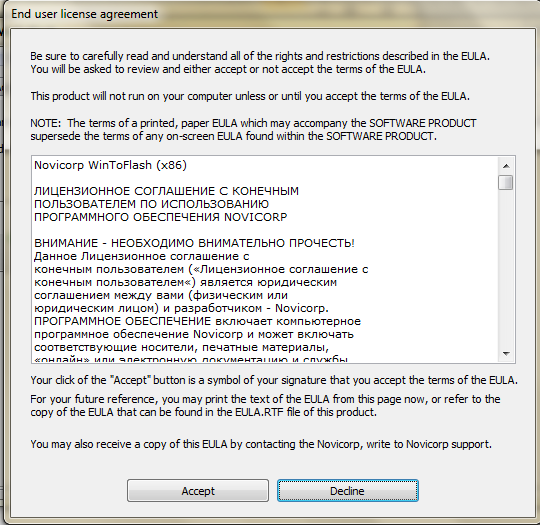
You need to download WinToFlash applications which is the main software we require to make usb bootable. After download it , run the exe file and click Accept. Refer to pictures given below.
Click exe file to run
Accept
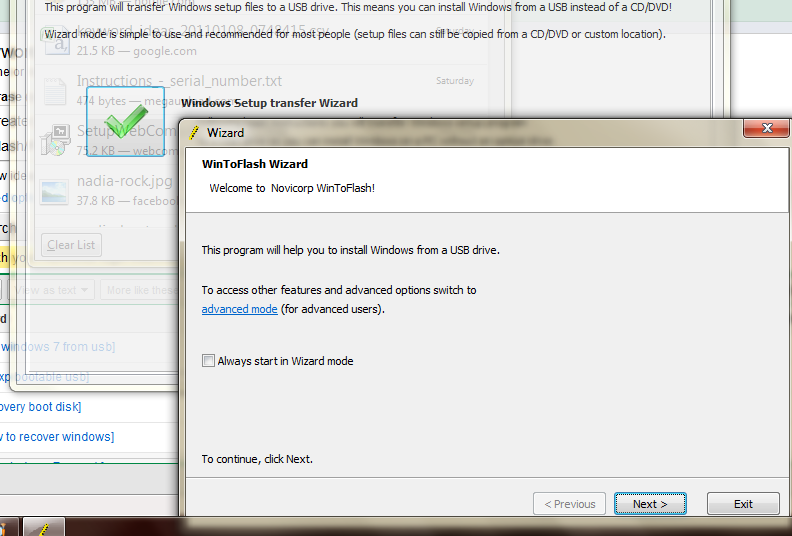
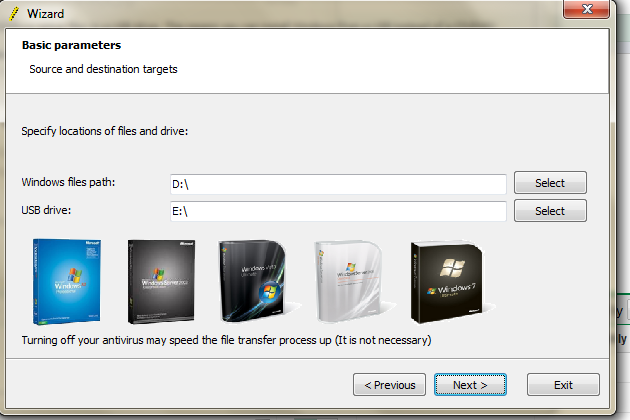
Click windows transfer wizard and after that click next.

Specify your source file and USB by clicking the Select button.

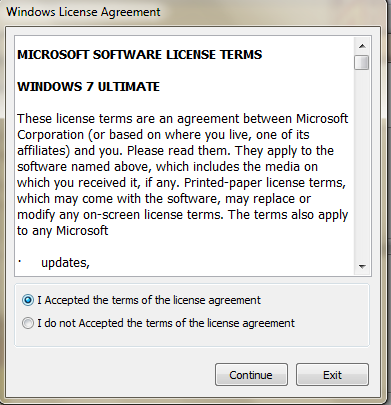
Accept and continue.

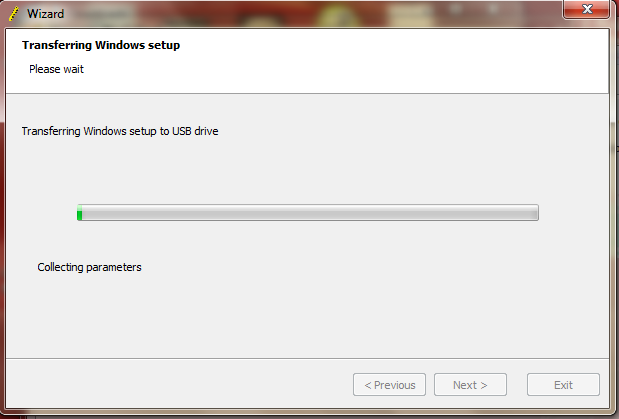
Wait until the process finish.

Your usb drive now are windows 7 bootable and can be used to install windows 7 from usb.

Hos to install windows from USB?

Restart the computer and select USB Flash drive from boot menu, the installations process is same as using CD or DVD. Good luck. If you have another method how to install windows 7, share it here by giving your comments. Good luck


Sunday, December 12, 2010

Android, iPhone or Windows 7 phone? Which succumbed to the first temperature?


The last video hit the internet is heartbreaking, where there is a 4,7 iPhone mobile Windows and an Android grilled, burn and finally succumb to high temperature! Various attempts made in my business as BlendTec to bind their products to the technology buzz (and possibly get mileage out), it's the final offer. (We saw BlendTec mix almost any what it can find with their ruthless mixers).
Grill society fails however ordered a true "point value" Unlike BlendTec video which has always been that the mark was evident. However, the video is to attract your attention.

I am sure there is more to this trend soon. It will be interesting to learn, this is how different each new business is take off the coast and how different they BlendTec videos.


Related Posts Plugin for WordPress, Blogger...
Twitter Delicious Facebook Digg Favorites More