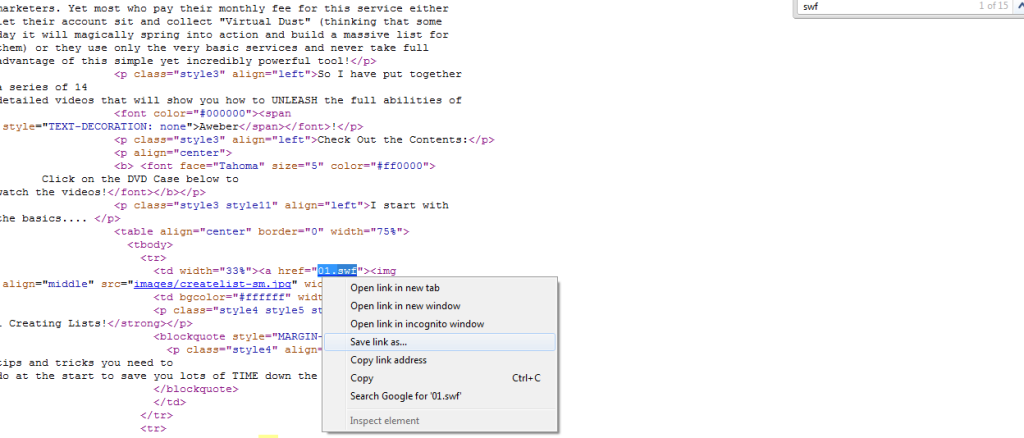
There will be a time you need to download flash or swf file. Many software or application can be used to download but need to do some install process. Today you will learn how to download flash file by using google chrome only.
(1) just goto the page with flash file(swf file) you want to save
(2) press ctrl+U to enter view source of the page(it will be opened in a separate tab)
(3) press ctrl+F to open the find box on top right corner of the "view source" page and type "swf" (withought quotes)
(4) now right-click on links ending with ".swf" (ie- http://domain.com/filename.swf ) and click save as AND SAVE IT
good luck :)
Nice and simple way to download flash file with google chrome.
ReplyDeleteIf anyone else interest in how to download flash files with other browser, you can also check it here: http://www.webbee.com.au/index.php/learn-share/110-how-to-save-flash-swf-file-within-webpage
Cheers!
Sharing is caring.
Thanks for share this post
ReplyDeletePortrait Professional 12 Crack